
This post contains affiliate links. If you buy through our links, we may earn a small commission at no extra cost to you.
Installing a ceiling fan saves $100–$200 in electrician fees and takes 2–3 hours. Here’s the complete wiring and mounting guide — including the two things that make or break a quiet, wobble-free fan.
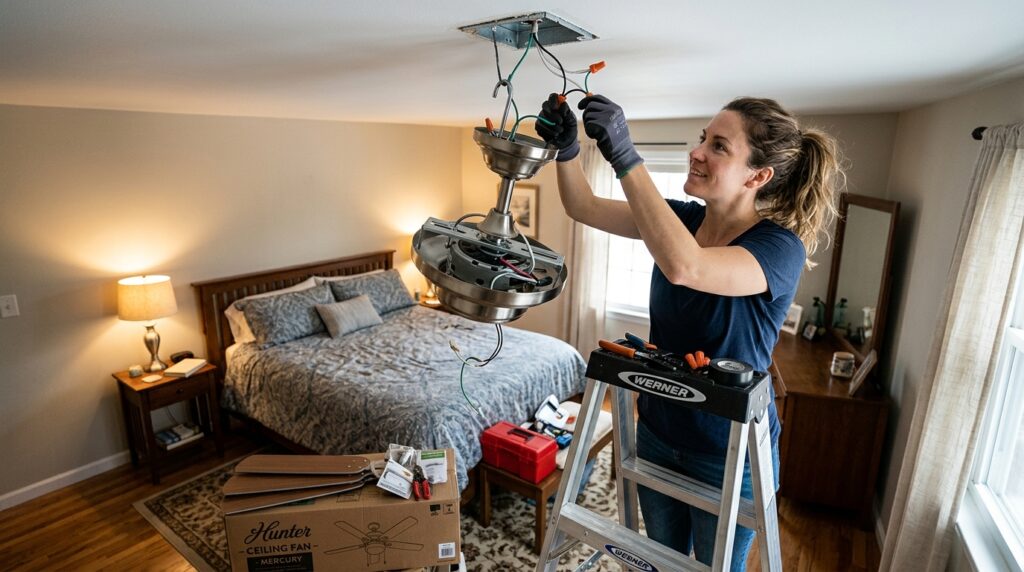
A ceiling fan lowers perceived room temperature by 4–8°F in summer and circulates warm air in winter — cutting HVAC costs year-round. Installing one yourself saves $100–$200 in electrician labor, and the process is beginner-friendly as long as you follow one rule: breaker off, confirmed with a voltage tester, before touching any wires.
This guide covers replacing an existing light fixture with a ceiling fan, which is the most common installation scenario.
Quick answer: Turn off the breaker, replace the ceiling box with a fan-rated box, connect the wires (black to black, white to white, green/bare to ground), mount the fan, attach the blades, and install the light kit. Test, then balance if wobbling.
⭐ Essential Product:
Hunter 52-Inch Dempsey Ceiling Fan with Light — 52-inch blade span (ideal for rooms up to 400 sq ft), reversible motor for summer/winter use, included light kit, easy installation system with labeled wires. Around $120. Hunter fans are known for quiet motors and long-term reliability — the two things that matter most in a ceiling fan.
Budget pick: Dreo Smart Ceiling Fan with Lights, 52 Inch — 12 speeds, 3 fan modes, dimmable LED, whisper-quiet motor, Works with Alexa. Around $133.
Essential tool: Klein Tools Non-Contact Voltage Tester — confirms power is off before touching wires. Around $20. Non-negotiable for any electrical work.
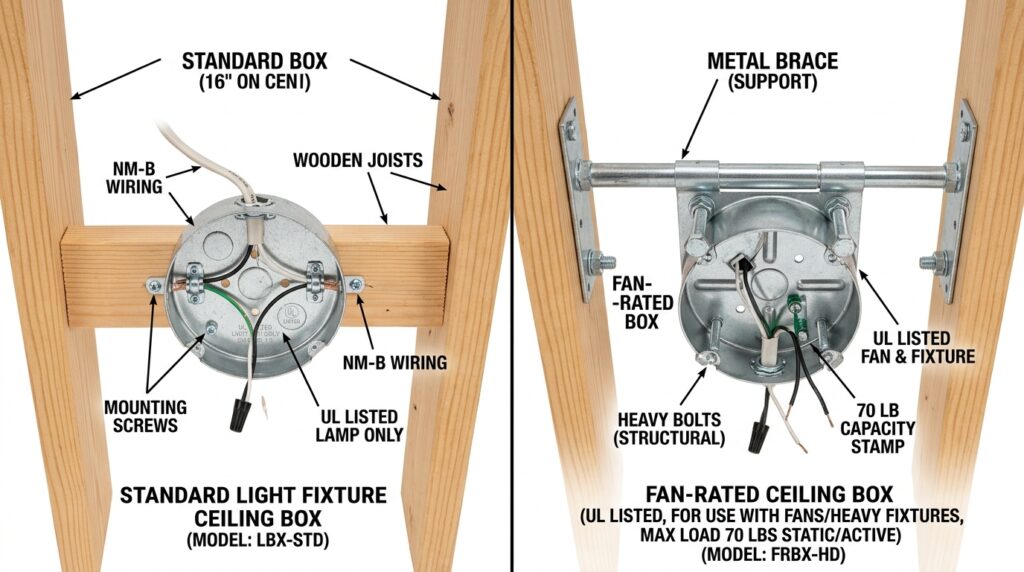
Before You Start: Fan-Rated Ceiling Box
This is the step most tutorials skip — and why some ceiling fan installations end in disaster.
Standard ceiling boxes (the octagonal box holding most light fixtures) are rated for 50 lbs static load. A ceiling fan is a dynamic load — it moves, vibrates, and can weigh 30–80 lbs. A standard box will eventually fail under a ceiling fan, dropping the fan from the ceiling.
You must use a fan-rated ceiling box before installing any ceiling fan.
How to Identify a Fan-Rated Box
Look for the label “Acceptable for Fan Support” or “Fan Rated” stamped inside the box. If there’s no label, assume it’s not fan-rated.
Replacing the Ceiling Box
If you have attic access above: Install a fan-rated brace bar from above, screwed into joists on both sides of the box location. Strongest option.
Without attic access: Use an expandable ceiling fan brace (installs through the existing ceiling hole, expands between joists). Our Pick: Westinghouse Expandable Fan Brace — no attic access needed, supports up to 150 lbs. Around $15.
Step 1: Turn Off the Breaker and Confirm Power Is Off
At the electrical panel, turn off the breaker for the room. If breakers aren’t labeled, turn on the existing light, then flip breakers until the light goes off.
Use your non-contact voltage tester near the ceiling box wires — if it beeps, the breaker is wrong or the box has power from another circuit. Do not proceed until the tester reads no voltage.
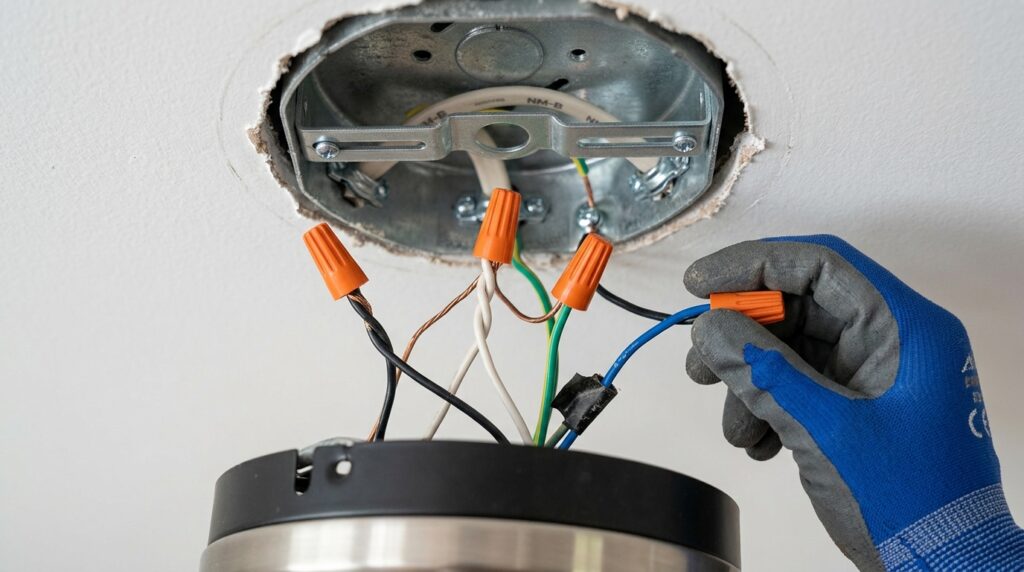
Step 2: Remove the Existing Fixture and Install Fan Box
- Remove the existing light fixture (unscrew the canopy, disconnect the wires)
- Remove the existing ceiling box if it’s not fan-rated
- Install the fan-rated box per the manufacturer’s instructions
- Thread the wires from the ceiling through the new box
You should now have a fan-rated box in the ceiling with wires accessible.
Step 3: Assemble the Fan Motor
Most ceiling fans come partially assembled. Before going up the ladder:
- Attach the canopy (the cover that mounts to the ceiling) to the fan motor bracket
- Attach the downrod (the pipe that hangs the motor from the ceiling) to the motor
- Thread the wires from the motor up through the downrod
- Have the wire nuts from the fan’s hardware bag ready
Ceiling height determines downrod length:
- 8-foot ceiling: flush mount (no downrod) or 3-inch downrod
- 9-foot ceiling: 6-inch downrod
- 10-foot ceiling: 12-inch downrod
- Higher ceilings: longer downrods available separately
Minimum clearance from blade to floor is 7 feet — calculate your downrod length accordingly.
Step 4: Hang the Motor and Connect the Wires
Hang the Motor
Hook the fan motor’s mounting bracket onto the ceiling box hanger ball or mounting plate — most modern fans have a “hook and hang” system that lets you connect wires with both hands while the motor hangs from the hook.
Connect the Wires
Standard wiring for a ceiling fan replacing a light fixture (single switch):
| Ceiling Wire | Fan Wire | Connection |
|---|---|---|
| Black (hot) | Black (fan) | Connect together |
| White (neutral) | White (fan) | Connect together |
| Bare copper or green (ground) | Green or bare (fan) | Connect together |
| — | Blue (light kit) | Connect to black ceiling wire |
Blue wire: Most ceiling fans have a blue wire for the light kit. When using a single wall switch (not separate fan/light switches), connect the blue wire to the black ceiling wire along with the fan’s black wire — this runs both fan and light from the same switch.
To connect: Strip 3/4 inch of insulation from each wire, hold the matching wires together, and twist on a wire nut clockwise until snug. Give each connection a gentle tug to confirm it won’t pull apart.
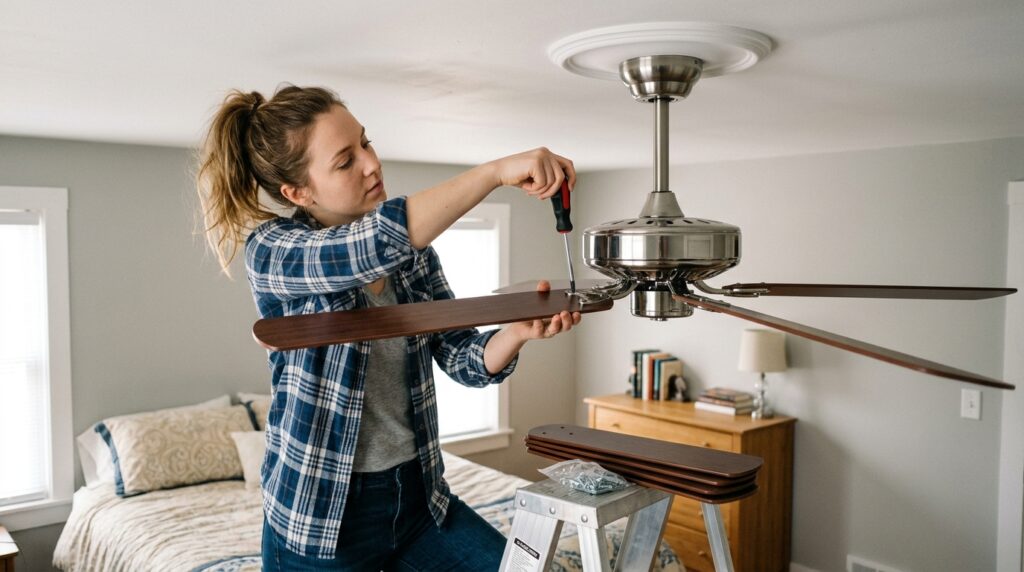
Step 5: Mount the Canopy and Attach Blades
- Fold the connected wires into the ceiling box
- Push the canopy up to the ceiling and secure with the canopy screws
- Restore power at the breaker — test that the fan works before attaching blades (easier to troubleshoot now than with blades on)
- Turn breaker back off
- Attach the blade brackets to the fan blades (if not pre-attached)
- Attach each blade to the motor using the provided screws — tighten firmly, all to the same torque
Blade angle (pitch): Most fans come with blades pre-set at 12–14 degrees. Don’t adjust unless the fan wobbles severely after installation.
Step 6: Install the Light Kit
- Connect the light kit wires to the fan’s blue and white wires
- Snap or screw the light kit housing to the fan motor
- Install bulbs per the fixture’s wattage rating (don’t exceed — fire risk)
- Attach the light shades or globes
Step 7: Test and Balance
Restore power. Test at all fan speeds and the light.
If the Fan Wobbles
Minor wobbling is almost always a blade issue — one blade slightly heavier or pitched differently than the others.
Fix:
- Buy a ceiling fan blade balancing kit (~$5) — includes small clip-on weights
- Clip a weight to the middle of one blade and run the fan
- Move the weight along the blade and to different blades until wobble disappears
- Stick the self-adhesive weight permanently at that location
If wobbling persists: Check that all blade screws are equally tight, all blades are at the same height, and the mounting bracket is fully seated in the ceiling box.
Ceiling Fan Installation Quick Checklist
Before starting:
Fan-rated ceiling box confirmed or installed
Correct downrod length calculated for ceiling height
Voltage tester on hand
All fan components laid out and identified
Electrical:
Breaker off and confirmed with voltage tester
Existing fixture removed
Black to black, white to white, ground to ground
Blue wire connected to black (single switch setup)
All wire nuts tight — tested with gentle tug
Mounting:
Motor tested before blades attached
All blade screws equally tight
Light kit wires connected and housing secured
Canopy seated flat against ceiling
After installation:
All speeds tested
Light kit tested
Wobble checked — balanced if needed
Winter/summer reverse switch identified
Frequently Asked Questions
Can I install a ceiling fan where there’s no existing wiring? Only if you’re comfortable running new electrical wire from a switch to the ceiling location — or hiring an electrician for that part. The fan installation itself is DIY-friendly; running new wiring through walls and ceilings is a more advanced project that often requires a permit.
Do I need a special switch for a ceiling fan? A standard single-pole switch works for controlling both fan and light together. For separate fan speed and light control, you need either a dual switch (two switches in one gang box) or a remote/smart controller included with some fans. Do not use a standard dimmer switch to control fan speed — it damages the motor.
How do I know which direction the fan should spin? Summer: counterclockwise (viewed from below) — pushes air down, creates cooling breeze. Winter: clockwise on low speed — draws cool air up and pushes warm ceiling air down along the walls. Most fans have a direction switch on the motor housing.
My new ceiling fan makes a humming noise. Is that normal? A slight hum is common when using a standard dimmer or older fan speed control. If your switch is a dimmer, replace it with a fan-rated speed control or a standard on/off switch. If the hum persists with a proper switch, check that all wire connections are tight and the light kit bulbs don’t exceed the rated wattage.
What size ceiling fan do I need for my room? Match blade span to room size: up to 75 sq ft → 29–36 inch; 76–144 sq ft → 36–42 inch; 145–225 sq ft → 44 inch; 226–400 sq ft → 50–54 inch; over 400 sq ft → 60+ inch or two fans.
The Bottom Line
Installing a ceiling fan is a 2–3 hour project that saves $100–$200 and improves comfort year-round. The two things that determine success: a fan-rated ceiling box (non-negotiable) and correct wire connections (black to black, white to white, ground to ground, blue to black).
Test the motor before attaching blades, balance if wobbling, and identify the direction switch for seasonal use.
For other electrical upgrades in the same room, our guide on how to replace a light switch covers upgrading to a fan-rated speed control or adding a separate light switch — a natural next step after fan installation.
Have questions about your specific ceiling or wiring situation? Leave a comment below.
Related posts: