
This post contains affiliate links. If you buy through our links, we may earn a small commission at no extra cost to you.
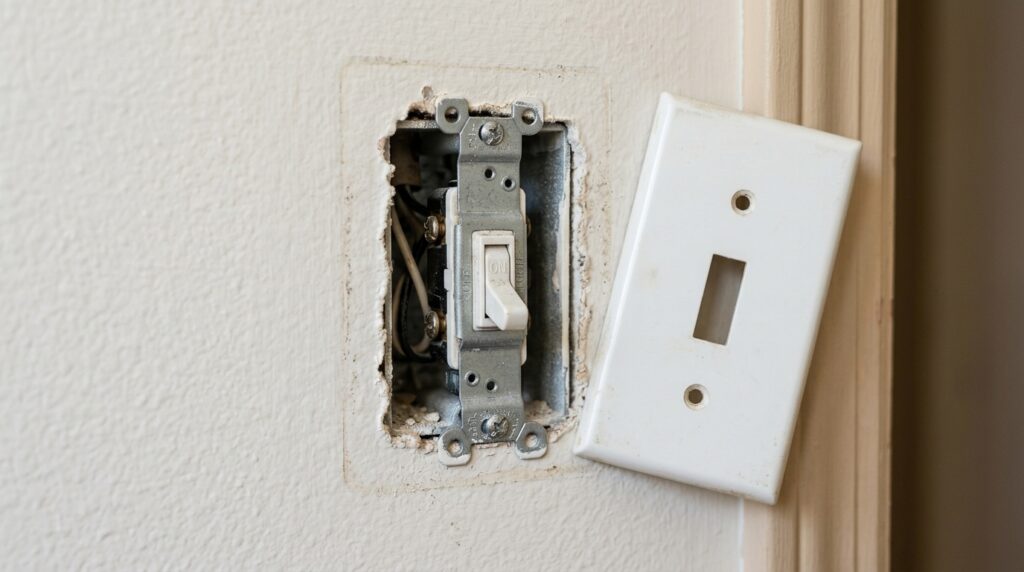
A light switch that doesn’t click right, feels loose, or just stopped working is one of the easiest electrical fixes a homeowner can do. No electrician required. No special tools. Just a screwdriver, a voltage tester, and 20–30 minutes.
The key is knowing which type of switch you have before you buy a replacement. Get that right, and the rest is straightforward.
Quick answer: Turn off the breaker, remove the old switch, photograph the wiring, connect the new switch the same way, restore power. Most single-pole switch replacements take under 20 minutes.
Here’s the full process — including how to handle 3-way switches and smart switches if that’s what you’re dealing with.
Before You Start: What You’ll Need
- Flathead and Phillips screwdrivers
- Non-contact voltage tester (essential — don’t skip this)
- Needle-nose pliers
- Wire stripper (only if wires are too short)
- Smartphone (to photograph wiring before disconnecting)
- Replacement switch
Our Top Pick: Leviton 15-Amp Single-Pole Switch — standard residential switch, fits any single-pole application, under $5. Reliable, widely available.
If you’re upgrading to a smart switch: Kasa Smart Light Switch by TP-Link — works with Alexa and Google Home, no hub required, around $30
Step 1: Identify Your Switch Type
Before touching anything, identify which type of switch you have. This determines what replacement to buy.
Single-Pole Switch
The most common type. Controls one light from one location. Has two brass screws on the sides (plus a green ground screw). The switch body is marked “ON” and “OFF.”
3-Way Switch
Controls one light from two locations — common on stairs, hallways, and large rooms. Has three screws: one black “common” screw and two brass “traveler” screws. No ON/OFF markings on the body.
4-Way Switch
Controls one light from three or more locations. Has four brass screws. Rare in most homes — only in large rooms or commercial spaces.
Smart Switch
Replaces a standard switch and connects to your home Wi-Fi. Requires a neutral wire in the box (a white wire connected to a screw or wire nut). Check before buying — some older homes don’t have a neutral wire at the switch.
Pro tip: If you have a dimmer switch, replacing it requires another dimmer — not a standard switch. Standard switches don’t regulate voltage and can damage dimmable bulbs if used in place of a dimmer.

Step 2: Turn Off the Breaker
Go to your electrical panel and turn off the breaker that controls the room where the switch is located. If breakers aren’t labeled, flip the switch on, then turn off breakers one at a time until the light goes off — that’s your breaker.
Do not rely on turning the switch off. The switch only interrupts one wire. Power is still present in the box until the breaker is off.
Step 3: Confirm Power Is Off
This step is non-negotiable.
Remove the switch cover plate (one or two screws). Without touching any wires, hold your non-contact voltage tester near the switch and the wires inside the box. If it beeps or lights up — power is still on. Go back to the panel.
Only proceed when the tester confirms no voltage.

Our Pick for voltage testing: Klein Tools Non-Contact Voltage Tester — audible and visual alert, works on 12–1000V AC. Around $20. This is a tool worth owning permanently.
Step 4: Photograph the Wiring
Before disconnecting a single wire, take a clear photo of the existing wiring with your phone. Include the screw colors and which wire connects to which.
This photo is your insurance policy. If you get confused during reassembly, you have an exact reference.
Step 5: Remove the Old Switch
Unscrew the two mounting screws holding the switch to the electrical box and pull the switch forward carefully. The wires are still connected — give yourself 3–4 inches of slack to work with.
Now disconnect the wires:
- Screw terminals: Loosen each screw and unhook the wire from underneath it.
- Push-in connectors (backstab): Insert a small flathead screwdriver into the release slot next to each wire and pull the wire free.
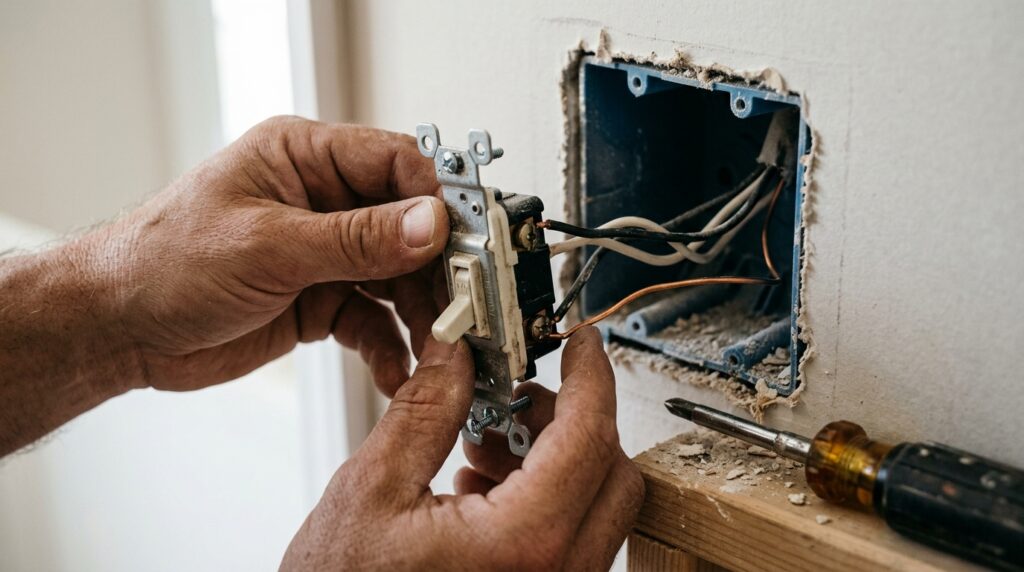
⚠️ If the wires are connected via backstab (push-in) connectors on the old switch, connect the new switch using the screw terminals instead. Backstab connections are less reliable and a common cause of switch failure over time.
Set the old switch aside.
Step 6: Connect the New Switch
For a Single-Pole Switch
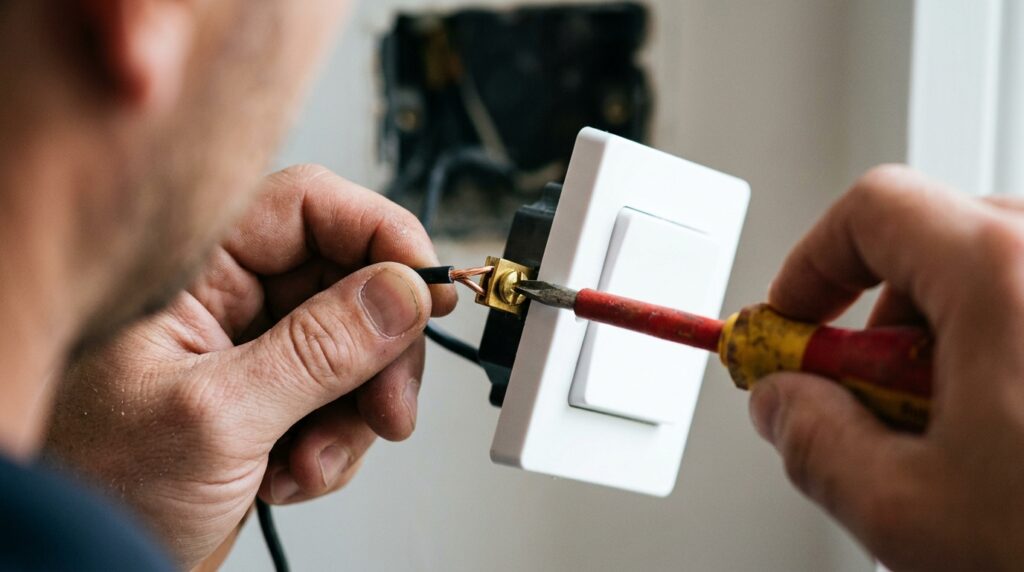
You’ll have two black wires (or one black and one white wire marked with black tape) and a bare copper or green ground wire.
- Connect one black wire to each brass screw — it doesn’t matter which black wire goes to which brass screw on a single-pole switch.
- Connect the bare copper (or green) ground wire to the green screw.
- Tighten all screws firmly. Give each wire a gentle tug to confirm it won’t pull free.
For a 3-Way Switch
The wiring is more specific here. This is where your photo matters.
- The common wire (usually black, connected to the black screw on the old switch) connects to the black “common” screw on the new switch.
- The two traveler wires (usually red and white, or red and black) connect to the two brass traveler screws — either way.
- Ground connects to the green screw.
If you mix up the common and traveler wires, the switch will work from one location but not the other. Recheck your photo if this happens.
For a Smart Switch
Follow the manufacturer’s wiring diagram — it varies by brand. Most require:
- Black (hot) wire to the black or “LINE” terminal
- White (neutral) wire to the white or “NEUTRAL” terminal
- Ground to the green screw
- Red traveler wire (if 3-way) to the designated traveler terminal
If there’s no white neutral wire in your box, check the manufacturer’s site — some smart switches work without a neutral wire, but most don’t.
Step 7: Fold Wires and Mount the Switch
Fold the wires carefully back into the electrical box in an accordion pattern — don’t force them. Push the switch into the box and secure it with the two mounting screws. The switch should sit flush and level against the wall.
Reattach the cover plate.
Step 8: Restore Power and Test
Turn the breaker back on. Test the switch. If the light works correctly, you’re done.
If the light doesn’t work:
- Turn breaker off again
- Recheck all wire connections — one loose screw is the most common cause
- Verify the bulb itself isn’t burned out
- For 3-way switches: confirm the common wire is on the correct (black) screw
If the breaker trips immediately:
- A wire is touching the metal box or another wire it shouldn’t
- Turn off, open the box, look for any bare copper touching where it shouldn’t
When to Call an Electrician
This is a safe DIY project for standard switch replacements. Call a professional if:
- You find aluminum wiring (silver-colored wires instead of copper) — requires special connectors and expertise
- The electrical box has more than 3–4 wires and you’re unsure what connects where
- The breaker trips every time you restore power and you can’t identify why
- You’re installing a smart switch and there’s no neutral wire and no neutral-free compatible alternative
For most homeowners, none of these apply. Standard switch replacements are genuinely beginner-friendly.
Upgrading While You’re at It: Worth Considering
If you’re already opening the switch box, three upgrades take 5 extra minutes:
1. Go tamper-resistant. Tamper-resistant switches and outlets have internal shutters that prevent objects from being inserted. Required by code in new construction — worth having in homes with kids.
2. Add a smart switch. If your box has a neutral wire, swapping to a smart switch like the Kasa or Lutron Caseta gives you voice control and scheduling for $20–$40. The wiring process is the same.
3. Replace a worn cover plate. Yellowed or cracked cover plates are a 30-second swap and make the whole wall look cleaner.
If you’re also replacing light fixtures while you’re at it, our guide on how to install a ceiling light fixture walks through the full process.
Frequently Asked Questions
Is replacing a light switch safe for a beginner? Yes — as long as you turn off the breaker and confirm power is off with a voltage tester before touching anything. The wiring on a standard single-pole switch involves just two wires and a ground. It’s one of the most beginner-friendly electrical tasks in the house.
How do I know if my switch is single-pole or 3-way? Look at the switch body. If it says “ON” and “OFF,” it’s single-pole. If it has no markings and controls a light that’s also controlled from another location in the room, it’s 3-way. You can also count the screws inside the box: two brass screws = single-pole, three screws (one black, two brass) = 3-way.
Can I replace a switch without turning off the breaker? Technically possible but genuinely dangerous. Even experienced electricians turn off the breaker for switch work. The few seconds it saves aren’t worth the risk of a shock or a fault. Always kill the breaker.
My new switch feels warm. Is that normal? A slight warmth on a dimmer switch is normal — dimmers dissipate heat as part of how they regulate voltage. A standard on/off switch should never feel warm. If it does, turn off the breaker and check that all connections are tight and no wires are touching each other improperly.
Do I need a permit to replace a light switch? In most jurisdictions, like-for-like switch replacements don’t require a permit. Adding new circuits or moving electrical boxes does. When in doubt, check with your local building department — it’s a 2-minute call.
The Bottom Line
Replacing a light switch is one of those repairs that sounds more intimidating than it is. Turn off the breaker, photograph the wiring, swap the switch, restore power. Single-pole switches take 20 minutes. Even 3-way switches are manageable once you understand which wire is the common.
If you’re working through your home’s electrical basics, our guide on how to install a ceiling fan covers the next level up — same principles, slightly more wiring.
Got questions about your specific setup? Leave a comment below.
Related posts: