
This post contains affiliate links. If you buy through our links, we may earn a small commission at no extra cost to you.
A dimmer switch is a 20-minute upgrade that transforms how a room feels. Here’s the complete wiring guide — including the compatibility check most tutorials skip.
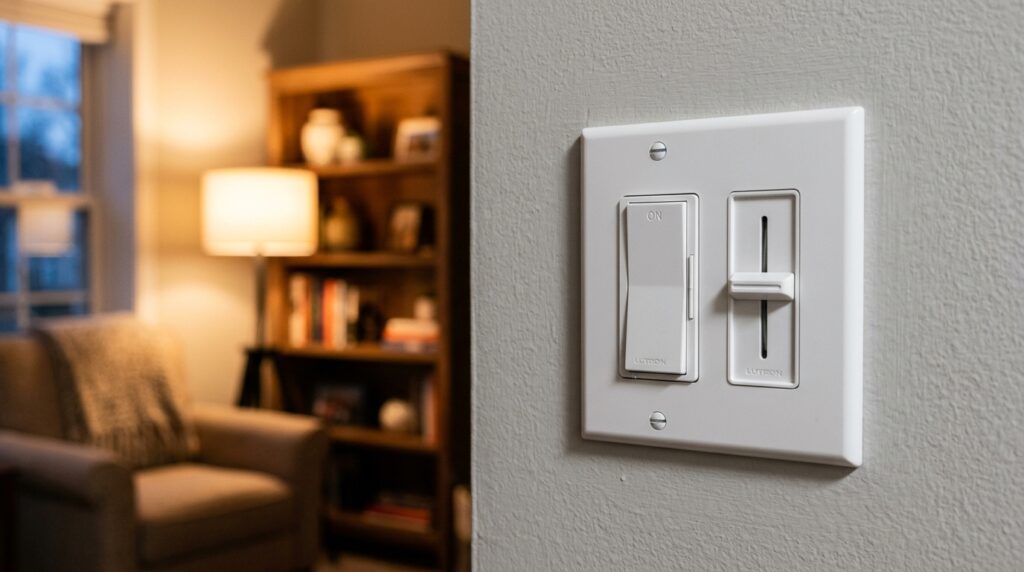
Replacing a standard switch with a dimmer takes about 20 minutes and costs $15–$25 in materials. The result is a room that transitions from bright work light to comfortable evening ambiance with a single slide — and for bedrooms, dining rooms, and living rooms, it’s one of the best low-effort upgrades you can make.
The catch: dimmer switches have compatibility requirements that standard switches don’t. Get those right before you buy, and the installation itself is straightforward.
Quick answer: Turn off the breaker, remove the old switch, connect the dimmer’s wires to the same terminals, set the minimum brightness level using the adjustment screw, and restore power. Most single-pole dimmer installations take under 20 minutes.
⭐ Essential Product:
Lutron Caseta Wireless Smart Dimmer Switch — the most reliable dimmer on the market. Works with LED, CFL, and incandescent bulbs. Compatible with Alexa, Google Home, and Apple HomeKit. No neutral wire required. Around $60 for the starter kit (dimmer + remote + bridge). For a standard (non-smart) dimmer, the Leviton DSL06-1LZ (~$21) is the best budget pick.

Before You Buy: Compatibility Checklist
This is the step most tutorials skip — and why many dimmer installations fail.
1. Check Your Bulb Type
Not all dimmers work with all bulbs. The wrong combination causes flickering, buzzing, or shortened bulb life.
| Bulb Type | Dimmable? | Notes |
|---|---|---|
| Incandescent | ✅ Yes | Works with any dimmer |
| Halogen | ✅ Yes | Works with any dimmer |
| LED | ⚠️ Check label | Must say “dimmable” on the package |
| CFL | ⚠️ Rarely | Most CFLs are not dimmable — check label |
| Fluorescent (tube) | ❌ No | Requires a separate fluorescent dimmer |
Rule: If your bulbs aren’t labeled “dimmable,” replace them before installing the dimmer. Non-dimmable LEDs connected to a dimmer flicker, hum, or fail early.
2. Identify Your Switch Type
- Single-pole: Controls one light from one location. Has two brass screws plus ground. The most common type — standard dimmer installation.
- 3-way: Controls one light from two locations. Requires a 3-way compatible dimmer and slightly different wiring. Check the dimmer’s packaging for 3-way compatibility.
3. Check for a Neutral Wire
Most modern dimmers work without a neutral wire. Smart dimmers (like Lutron Caseta) are specifically designed to work without one. If you’re installing an older style dimmer, check your electrical box for a white wire connected to a wire nut — that’s the neutral.
What You’ll Need
- Replacement dimmer switch (see compatibility above)
- Flathead and Phillips screwdrivers
- Non-contact voltage tester
- Wire stripper (if wires need trimming)
- Needle-nose pliers
- Electrical tape
Step 1: Turn Off the Breaker
Go to your electrical panel and turn off the breaker for the room where the dimmer will be installed. If breakers aren’t labeled, flip the existing switch on, then turn off breakers one at a time until the light goes off.
Do not rely on the switch being off. Power is still present at the switch box until the breaker is off.
Step 2: Confirm Power Is Off
Remove the switch cover plate (one or two screws). Without touching any wires, hold your non-contact voltage tester near the switch terminals. If it beeps or lights up — power is still on. Return to the panel.
Only proceed when the tester confirms zero voltage.
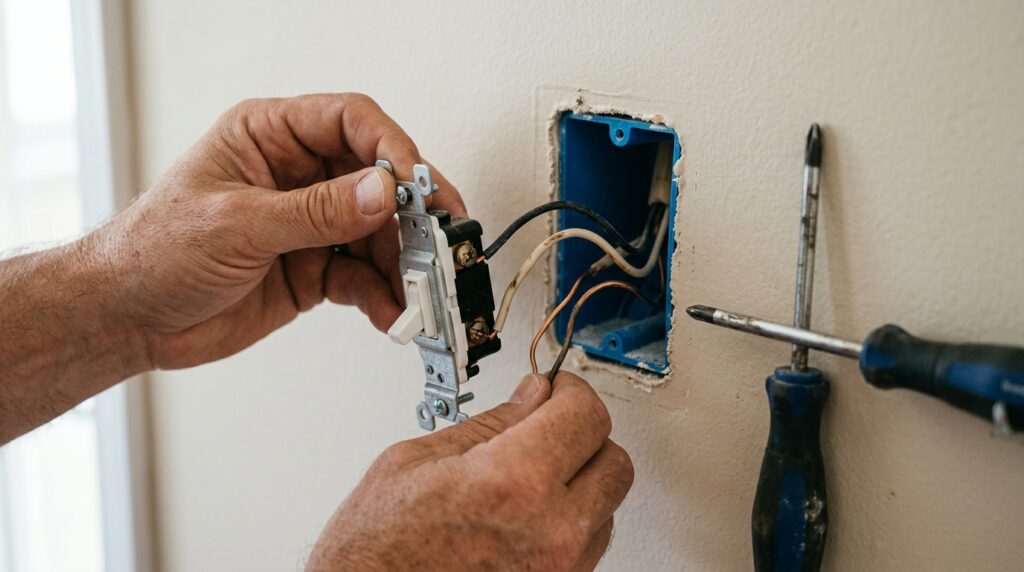
Step 3: Remove the Old Switch
Unscrew the two mounting screws and pull the switch forward carefully. You’ll have 3–4 inches of wire to work with.
Photograph the wiring before disconnecting anything. This is your reference if you get confused during reconnection.
Disconnect the wires from the old switch:
- Screw terminals: Loosen each screw and unhook the wire
- Backstab connectors: Insert a small flathead into the release slot and pull the wire free
⚠️ If wires were connected via backstab on the old switch, use the screw terminals on the new dimmer — backstab connections are less reliable and a common cause of flickering.
Step 4: Connect the Dimmer
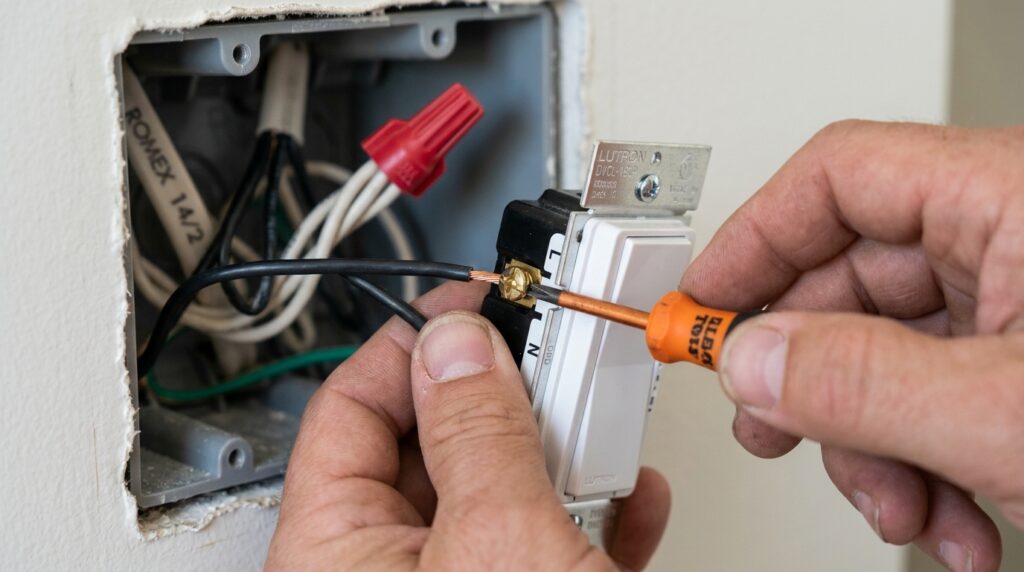
Dimmer switches vary by brand — always follow the manufacturer’s wiring diagram included in the box. General wiring for a single-pole dimmer:
Standard Single-Pole Dimmer
Most single-pole dimmers have two black wires (or one black and one red) and a green ground wire.
- Connect the two black wires from the dimmer to the two black wires in the box (or one black and one white marked with black tape) — order doesn’t matter for single-pole
- Connect the green wire from the dimmer to the bare copper ground wire in the box
- Use the included wire nuts and twist firmly clockwise
3-Way Dimmer
3-way wiring is specific to position — consult the diagram in your dimmer’s packaging and match wire colors carefully. The common wire (typically darker colored or connected to the black screw on the old switch) must go to the common terminal on the new dimmer.
Smart Dimmer (Lutron Caseta)
Follow the included quick-start guide. Most smart dimmers require:
- Black (hot) to the black or “HOT” terminal
- White (neutral) to the neutral terminal — or capped off if no neutral (Caseta works without it)
- Green to the ground screw
Step 5: Set the Minimum Brightness
Before mounting the dimmer, find the small adjustment screw on the side or back of the unit. This sets the minimum dimming level — how dark the light gets at the lowest setting.
Turn the adjustment screw clockwise to raise the minimum (prevents flickering at low settings), or counterclockwise to lower it (allows dimmer settings).
For LED bulbs: Start with the minimum raised slightly. LED bulbs often flicker at very low dimmer settings — raising the minimum eliminates this.
Step 6: Mount and Test
Fold the wires carefully back into the box and mount the dimmer with the provided screws. Reattach the cover plate.
Restore power at the breaker. Test the dimmer:
- Slide to full brightness — light should be at 100%
- Slide to minimum — light should dim smoothly without flickering
- If flickering occurs at low settings, adjust the minimum brightness screw (Step 5) slightly clockwise
If the breaker trips immediately: A wire is contacting the metal box or another wire it shouldn’t. Turn off, open the box, and look for any bare copper touching where it shouldn’t.
Dimmer Switch Quick Checklist
Before buying:
Confirm bulbs are labeled “dimmable”
Identify switch type (single-pole or 3-way)
Check if smart dimmer is needed (neutral wire check)
Installation:
Breaker off and confirmed with voltage tester
Wiring photographed before disconnecting
Old switch removed and wires disconnected from screws (not backstab)
Dimmer connected per manufacturer diagram
Ground wire connected
Minimum brightness set before mounting
Cover plate installed
Breaker restored and dimmer tested at full and minimum
Frequently Asked Questions
Can I replace any light switch with a dimmer? Any switch location can accept a dimmer as long as the bulbs are dimmable and the dimmer is rated for the switch type (single-pole or 3-way). The only exception is locations controlling fans or exhaust fans — those require a fan speed controller, not a light dimmer. Using a light dimmer on a fan motor can damage the motor.
Why does my dimmer switch buzz? Buzzing usually comes from the bulbs, not the dimmer. LED and CFL bulbs have internal electronics that can resonate at dimmer frequencies. Try a different brand of dimmable LED — Philips Hue and Cree dimmable LEDs are known for low-buzz performance with most dimmers.
Do I need a special dimmer for LED bulbs? Yes — use a dimmer labeled “LED compatible” or “CFL/LED.” Standard incandescent dimmers can technically work with some LED bulbs, but compatibility is inconsistent and often causes flickering. Lutron and Leviton both make LED-specific dimmers that work reliably.
Can I install a dimmer if there’s no ground wire in the box? Many dimmers require a ground wire for safety. In older homes without grounding, check your dimmer’s instructions — some models are rated for use without a ground with specific installation notes. If in doubt, consult a licensed electrician for ungrounded installations.
How is a dimmer switch different from a regular switch? A standard switch only has two states — on and off. A dimmer regulates voltage to the bulb, allowing continuous adjustment between off and full brightness. The tradeoff: dimmers are slightly more complex to wire and cost more ($15–$60 vs. $3–$8 for a standard switch).
The Bottom Line
Installing a dimmer switch is one of the highest-impact, lowest-effort electrical upgrades in a home. Get the compatibility right — dimmable bulbs, correct switch type — and the installation itself takes 20 minutes. The result is a room that feels dramatically different at night.
For the full process of replacing any type of light switch, our guide on how to replace a light switch covers single-pole, 3-way, and smart switches in detail.
Have questions about your specific setup? Leave a comment below.
Related posts: